Plug your phone in, walk away, come back an hour later, and the battery hasn’t moved. It’s one of the most common — and most stressful — problems phone owners run into, because a dead phone means no calls, no maps, no way to reach anyone. The good news: most charging problems come down to a short list of causes, and most of them are fixable without replacing the phone.
Below are the 12 most common reasons a phone won’t charge, starting with the quick, free fixes and working toward the ones that need a professional repair. If you’re in Brooklyn and none of the DIY steps below get your phone charging again, Avenue D Cellular offers same-day iPhone repair Brooklyn NY residents can walk in for — including free diagnostics to pinpoint the exact cause before you pay for anything.
Table of Contents
- A Dirty or Lint-Packed Charging Port
- A Damaged or Worn-Out Charging Cable
- A Faulty Wall Adapter or Power Brick
- A Weak or Failing Outlet/USB Port
- Software Glitches
- A Battery That’s Reached the End of Its Life
- Charging Case or Screen Protector Interference
- Corrosion from Moisture Exposure
- A Failing Charging IC (Charging Chip)
- Physical Damage to the Charging Port Itself
- A Damaged Battery Connector or Internal Cable
- Logic Board or Water Damage
- When to See a Professional
- What a Charging Repair Costs
- FAQs
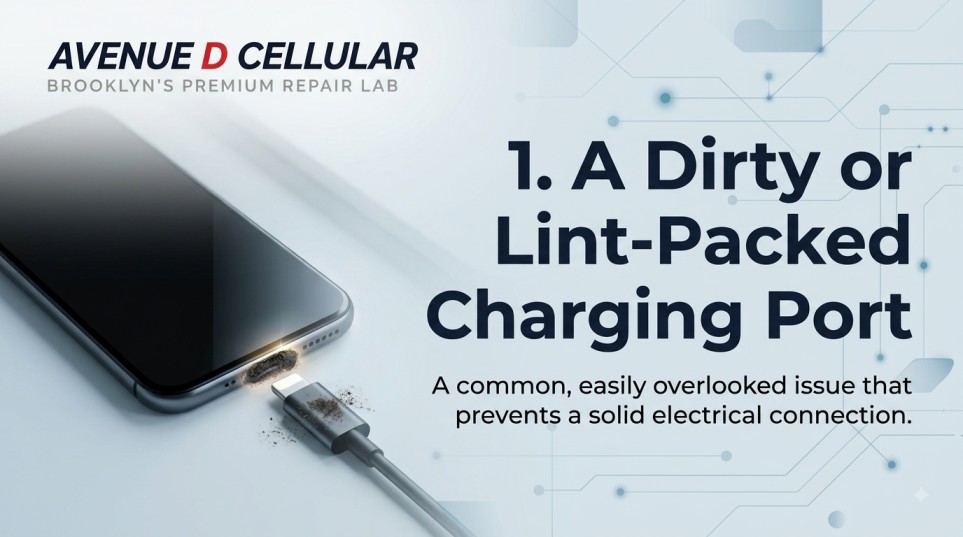
1. A Dirty or Lint-Packed Charging Port
This is, by far, the most common reason an iPhone stops charging — and the easiest to fix. Pocket lint, dust, and debris pack into the charging port over months of use, physically blocking the cable’s pins from making contact.
Fix: Power off the phone, then use a flashlight to look into the port. If you see fuzz or debris, gently clean it out with a wooden toothpick, a SIM ejector tool, or a can of compressed air. Never use a metal pin — it can bend the internal contacts and turn a $0 fix into a paid repair.
2. A Damaged or Worn-Out Charging Cable
Cables take more physical abuse than almost any other accessory — bent at the connector, stepped on, chewed by pets. A cable can look fine and still have a broken wire inside.
Fix: Try a different, known-good cable. If the phone charges normally, the problem was the cable, not the phone.
3. A Faulty Wall Adapter or Power Brick
The charging brick itself can fail, especially cheap third-party adapters that weren’t built to the same standard as the original.
Fix: Swap in a different wall adapter, or try charging from a laptop USB port to isolate whether the brick is the issue.
4. A Weak or Failing Outlet/USB Port
Sometimes the problem isn’t the phone or the cable — it’s the outlet. Wall sockets and USB ports on computers, TVs, and car chargers can lose power delivery over time.
Fix: Test the same cable and adapter in a different outlet or port. If it charges elsewhere, the original outlet is the culprit.
5. Software Glitches
Occasionally, iOS or Android software bugs cause the phone to fail to recognize that it’s connected to power, even when everything is physically fine.
Fix: Restart the phone. If that doesn’t help, try a force restart (hold the side button and volume down together on most modern iPhones until the Apple logo appears). Keeping software updated also prevents a lot of these glitches from happening in the first place.
6. A Battery That’s Reached the End of Its Life
Every phone battery degrades with age. After roughly 500 full charge cycles (about 2–3 years of normal use), a battery can struggle to hold or accept a charge properly, even if the charging hardware is perfectly healthy.
Fix: Check battery health in your phone’s settings (Settings > Battery > Battery Health on iPhone). If the maximum capacity has dropped significantly below 100%, a battery replacement — not a new phone — is usually the fix.
7. Charging Case or Screen Protector Interference
Thick cases, especially ones with built-in kickstands or magnetic mounts, can prevent a cable connector from fully seating in the port. Wireless charging is even more sensitive — a thick case, metal ring, or certain magnetic accessories can block the charge entirely.
Fix: Remove the case and try charging directly. If it works, you’ve found the cause.
8. Corrosion from Moisture Exposure
If a phone has ever been near water, spilled on, or used in humid conditions, moisture can corrode the tiny contacts inside the charging port — sometimes weeks after the original exposure, not immediately.
Fix: Don’t try to charge a phone you suspect has moisture damage — it risks a short circuit. Power it off and let it fully dry, or bring it in for a professional inspection. This is one of the more common reasons people search for mobile iPhone repair Brooklyn NY services rather than risk further damage trying to fix it at home.
9. A Failing Charging IC (Charging Chip)
Every phone has a small charging controller chip that manages power flow from the cable to the battery. When this chip fails — often from a power surge, a cheap non-certified charger, or age — the phone may not charge at all, charge intermittently, or charge painfully slowly.
Fix: This requires a technician with proper diagnostic tools and, in some cases, microsoldering equipment. It’s not a DIY repair.
10. Physical Damage to the Charging Port Itself
Bent connector pins inside the port — usually from forcing a cable in upside down or at an angle — can prevent a proper electrical connection even after cleaning.
Fix: A bent pin sometimes needs to be carefully realigned by a technician, or the port assembly may need replacement.
11. A Damaged Battery Connector or Internal Cable
Inside the phone, the battery connects to the logic board through a small connector and ribbon cable. A drop, a bend, or a failed prior repair can loosen or damage this connection — the phone may seem to charge but never actually gain percentage, or the battery percentage may jump erratically.
Fix: This requires opening the phone and is best left to a professional, since reseating or replacing an internal connector on a modern iPhone involves delicate components.
12. Logic Board or Water Damage
If none of the above apply, the issue may sit deeper — on the logic board itself, particularly after any past liquid exposure, drop damage, or a failed third-party repair.
Fix: This is the most serious cause on this list and the hardest to self-diagnose. A proper diagnostic — checking voltage, testing components, and inspecting the board under magnification — is the only reliable way to confirm it, which is exactly what a free diagnostic at a repair shop is for.
When to See a Professional
If you’ve cleaned the port, tried a different cable, adapter, and outlet, restarted the phone, and it’s still not charging, the cause is almost certainly something the phone itself needs — a battery, a charging port, or an internal component. Continuing to try random fixes at that point risks doing more damage, especially with liquid exposure or bent pins.
What a Charging Repair Costs in Brooklyn
One of the most common questions we get is about iPhone repair Brooklyn NY price for charging issues specifically. Cost depends on the actual cause:
- Charging port cleaning — often free or very low cost, since it’s a quick fix.
- Charging port replacement — a moderate repair, typically completed same day.
- Battery replacement — one of the most affordable and common repairs, since it directly solves both charging and battery-life complaints at once.
- Logic board or charging IC repair — the most involved repair, priced after diagnosis since the extent of the damage varies case by case.
A free diagnostic is the fastest way to get an accurate number instead of guessing.
Frequently Asked Questions
Why does my phone charge only when I hold the cable at a certain angle? That’s a classic sign of either a damaged cable or a charging port with bent or worn internal pins. Try a different cable first — if the angle-sensitivity continues, the port itself likely needs attention.
Can a phone charge slowly instead of not at all? Yes — slow or inconsistent charging usually points to the same causes as no charging at all (weak cable, failing adapter, aging battery, or a struggling charging IC), just at an earlier stage. It’s worth addressing before it stops charging completely.
Is it safe to keep using a phone with a battery that won’t hold a charge? Not indefinitely. A severely degraded battery can swell, which puts pressure on the screen and internal components. If battery health is very low, it’s better to replace it than keep pushing it.
Will using a non-Apple/certified charger damage my phone? Cheap, uncertified chargers are one of the more common causes of a damaged charging IC or inconsistent charging over time. MFi-certified or manufacturer-original chargers are worth the extra cost.
How do I know if it’s the battery or the charging port? Check Battery Health in your settings — a low maximum capacity points to the battery. If battery health looks fine but the phone still won’t charge, the port, cable, or charging chip is more likely the cause. A free diagnostic will confirm it either way.
Can I fix a charging port myself? Cleaning out lint or debris is safe to do yourself with a wooden toothpick or compressed air. Replacing the port itself, or anything involving bent pins or internal components, should be left to a technician — DIY attempts here often cause more damage.
How long does a charging port or battery repair take? Most charging port and battery replacements are completed same day, often within an hour, depending on the model and how busy the shop is.
Get It Fixed Today at Avenue D Cellular
If your phone still won’t charge after trying the steps above, Avenue D Cellular at 1080 Utica Ave offers free diagnostics and same-day repairs for charging ports, batteries, and logic board issues — with a lifetime warranty on parts and labor. Whether it’s a cracked screen, a dead battery, or a phone that won’t charge no matter what you plug it into, walk in Monday–Saturday, 10 AM–8 PM, or call (718) 552-2050 to ask a technician before you come in.